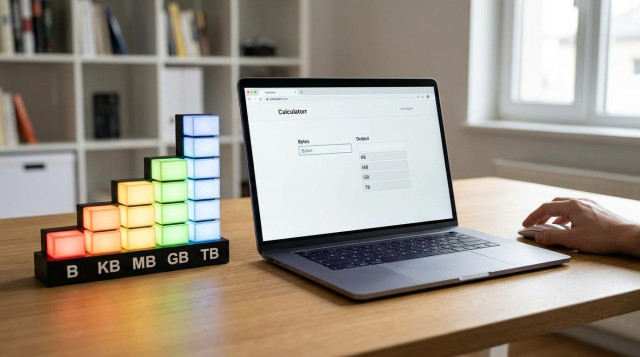
how to convert bytes to KB, MB, GB and TB
Converting bytes to higher units (KB, MB, GB, TB) helps you understand file sizes, storage capacity and data transfer. This guide explains the formulas, the two common unit systems (binary and decimal), step-by-step manual conversions, real numeric examples, how to use an online converter and how to interpret results for storage vs bandwidth.
what are bytes, kilobytes, megabytes and gigabytes?
A byte is the basic unit of digital information. Larger units group bytes to represent bigger amounts of data:
- Byte (B) — 1 byte
- Kilobyte (KB) — either 1,000 bytes (decimal) or 1,024 bytes (binary)
- Megabyte (MB) — 1,000,000 bytes (decimal) or 1,024 × 1,024 bytes (binary)
- Gigabyte (GB) — 1,000,000,000 bytes (decimal) or 1,024^3 bytes (binary)
- Terabyte (TB) — 1,000,000,000,000 bytes (decimal) or 1,024^4 bytes (binary)
decimal vs binary: which system to use?
Two conventions exist:
- Decimal (SI): uses powers of 10. 1 KB = 1,000 bytes, 1 MB = 1,000,000 bytes, etc. Common in storage drive marketing.
- Binary: uses powers of 2. 1 KiB = 1,024 bytes, 1 MiB = 1,024 KiB = 1,048,576 bytes, etc. Operating systems often report sizes using binary units but may label them KB/MB.
Decide which system you need before converting. This guide shows both and explains how to convert between them.
formulas for conversion
Use these formulas depending on the system:
- Decimal (SI) — to convert bytes to unit U: value_in_U = bytes / (1000^n)
- n = 1 for KB, 2 for MB, 3 for GB, 4 for TB
- Binary — to convert bytes to unit U: value_in_U = bytes / (1024^n)
- n = 1 for KiB (KB), 2 for MiB (MB), 3 for GiB (GB), 4 for TiB (TB)
step-by-step manual conversion
Follow these steps to convert bytes to a larger unit manually:
- Decide the unit system: decimal (1000) or binary (1024).
- Choose the target unit (KB, MB, GB, TB) and determine n (KB → n=1, MB → n=2, etc.).
- Compute the divisor: 1000^n (decimal) or 1024^n (binary).
- Divide the byte value by the divisor.
- Round the result to a practical number of decimal places (usually 2–3) for display.
practical examples
Example 1 — Convert 1,234,567 bytes to MB:
- Decimal: n=2 → divisor = 1000^2 = 1,000,000. Result = 1,234,567 / 1,000,000 = 1.234567 MB → 1.23 MB (rounded)
- Binary: n=2 → divisor = 1024^2 = 1,048,576. Result = 1,234,567 / 1,048,576 ≈ 1.1774 MiB → 1.18 MiB
Example 2 — Convert 50,000,000,000 bytes to GB:
- Decimal: n=3 → divisor = 1000^3 = 1,000,000,000. Result = 50,000,000,000 / 1,000,000,000 = 50 GB
- Binary: divisor = 1024^3 = 1,073,741,824. Result ≈ 46.566 GiB → 46.57 GiB
Example 3 — Convert 8,192 bytes to KB (binary):
- Binary: n=1 → divisor = 1024. Result = 8,192 / 1024 = 8 KiB
- Decimal: result = 8,192 / 1000 = 8.192 KB
how to convert upward and downward (unit chaining)
To go from bytes to GB directly, use the appropriate power (1000^3 or 1024^3). To convert step-by-step, divide by 1000 or 1024 repeatedly. To convert downward (e.g., GB to bytes), multiply by the corresponding power.
using an online converter on calculatorr.com
For fast conversions, use the converter at https://calculatorr.com/ . Enter the byte value, choose the unit system (decimal or binary) and select the target unit. The tool handles large powers and rounding and shows both unit results for comparison.
interpreting results: storage vs transfer
When you see a result, consider context:
- Storage devices (hard drives, SSDs) are often marketed using decimal units (1 TB = 1,000,000,000,000 bytes). Your computer may display the drive using binary units, so a 1 TB drive may appear as ~0.91 TiB in the OS.
- Data transfer and bandwidth (network speeds) typically use decimal units (bits per second). Be careful mixing bytes (B) and bits (b): 1 byte = 8 bits.
- File sizes reported by different apps may use either convention—use the conversion system that matches the source.
common mistakes and how to avoid them
- Mixing up bits and bytes: remember 1 byte = 8 bits; download speeds in Mbps are megabits per second, not megabytes per second.
- Not specifying the system: always state whether you used decimal (1000) or binary (1024) when reporting converted values.
- Rounding too early: perform the division with full precision, then round the final result to avoid cumulative errors.
- Assuming drive capacity equals usable space: file system overhead and reserved space reduce usable bytes; converted numbers reflect raw bytes only.
quick reference table
| Unit | Decimal (factor) | Binary (factor) |
|---|---|---|
| KB / KiB | 1,000 B | 1,024 B |
| MB / MiB | 1,000,000 B | 1,048,576 B |
| GB / GiB | 1,000,000,000 B | 1,073,741,824 B |
| TB / TiB | 1,000,000,000,000 B | 1,099,511,627,776 B |
advanced: converting between decimal and binary units
To convert a decimal-based value to binary units, first convert to bytes (multiply by 1000^n), then divide by 1024^m for the target binary unit. Example: 500 GB (decimal) to GiB:
500 × 1000^3 = 500,000,000,000 bytes. Divide by 1024^3 (1,073,741,824) → ≈ 465.66 GiB.
when to show more precision
For reporting disk capacities, two decimal places are usually enough. For scientific or programming contexts, keep more significant digits or use exact integers (bytes) to avoid rounding errors.
summary of practical steps
- Identify whether source uses decimal or binary units.
- Use the appropriate divisor: 1000^n or 1024^n.
- Perform division, then round the final result.
- When in doubt, convert to bytes first and then to the desired unit.
Need a fast conversion? Try the byte unit converter at https://calculatorr.com/ to compare decimal and binary results and avoid manual errors.