how to calculate calendar fragmentation index (CFI)
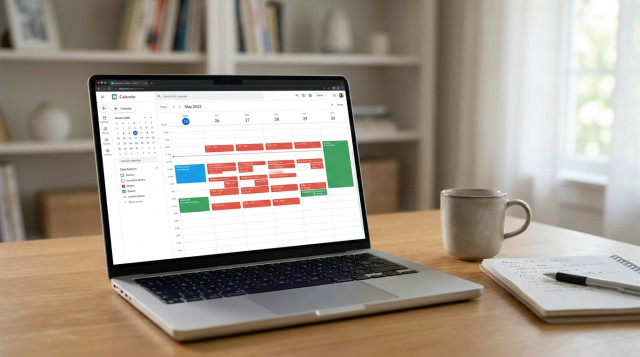
The calendar fragmentation index (CFI) is a simple metric to quantify how fragmented your scheduled workday is — that is, how many short meeting blocks break up longer stretches of focused work. Measuring CFI helps teams and individuals assess whether their calendar supports deep work or constant context switching.
what is the calendar fragmentation index and why it matters
CFI measures the proportion of your scheduled working time that is broken into small meeting blocks below a chosen threshold (for example, meetings under 30 minutes). A high CFI indicates frequent interruptions and short meetings that reduce sustained focus; a low CFI suggests longer contiguous blocks for productive work.
formula for calendar fragmentation index
Use this formula to compute CFI for a given day or set of days:
CFI = (Total duration of short meeting blocks / Total scheduled work time) × 100
Where "short meeting blocks" are meetings whose duration <= T, and T is a threshold you define (commonly 15, 20 or 30 minutes). Total scheduled work time is the sum of all events in your working hours (including meetings, blocked focus time, and other calendar entries) or the total available working hours — pick the denominator that best fits your objective (see interpretation section).
choose the right threshold and denominator
- Threshold (T): Typical choices are 15, 20 or 30 minutes. Use 15 min to detect micro-meetings and 30 min to capture short standups.
- Denominator options:
- Option A — total scheduled time: Sum of durations of all calendar events during working hours. This shows fragmentation of your scheduled commitments.
- Option B — total available work time: Usable workday length (e.g., 8 hours = 480 minutes). This includes unscheduled time and highlights how much of your day is eaten by short meetings.
step-by-step: how to calculate CFI manually
- Define working hours (example: 9:00–17:00 = 480 minutes).
- Decide threshold T (example: 30 minutes).
- List all calendar events during working hours and note each event duration in minutes.
- Identify short meeting blocks: events with duration <= T. Sum those durations = S_short.
- Compute total scheduled time (sum of all event durations) = S_total, or use total available time (working hours) = A_total, depending on chosen denominator.
- Apply the formula:
- If using scheduled time: CFI = (S_short / S_total) × 100
- If using available time: CFI = (S_short / A_total) × 100
practical example 1 — daily CFI using scheduled time
Working hours: 9:00–17:00. Threshold T = 30 minutes.
| Event | Start | End | Duration (min) |
|---|---|---|---|
| Team standup | 9:15 | 9:30 | 15 |
| Project sync | 10:00 | 10:45 | 45 |
| One-on-one | 11:00 | 11:30 | 30 |
| Client call | 14:00 | 15:00 | 60 |
| Design review | 15:30 | 16:00 | 30 |
Short meetings (≤30 min): Team standup 15, One-on-one 30, Design review 30 → S_short = 75 minutes. Total scheduled time: 15 + 45 + 30 + 60 + 30 = 180 minutes.
CFI = (75 / 180) × 100 = 41.7%.
Interpretation: 41.7% of scheduled calendar time is in short meetings. If your goal is fewer interruptions, aim to reduce short blocks or combine them.
practical example 2 — weekly CFI using available time
Team member tracks calendar for 5 workdays, 8 hours/day. A_total per week = 5 × 480 = 2400 minutes. Using T = 20 minutes, total short meetings across week S_short = 360 minutes.
CFI = (360 / 2400) × 100 = 15%.
Interpretation: 15% of the available workweek is consumed by short meetings. This shows absolute impact on total work time; lower is generally better for focus.
how to use an online calculator and automations
To compute CFI quickly for many days use a spreadsheet or an online calculator. Steps to automate:
- Export calendar events as CSV (most calendar apps support export or integration).
- Include columns: start, end, duration (minutes).
- Use filters to select events within working hours and apply the threshold T.
- Sum durations for short events and for total scheduled time.
Try a CFI calculator on Calculatorr to paste CSV totals or upload event durations and get instant CFI. Use internal tools and related calculators for meeting cost, focus time and schedule density at https://calculatorr.com/ to complement the index.
how to interpret CFI and set targets
- CFI < 10% — low fragmentation: calendar likely supports sustained focus (good for deep work roles).
- CFI 10–30% — moderate fragmentation: some short interruptions; consider batching short meetings.
- CFI > 30% — high fragmentation: many brief meetings interrupt flow; prioritize meeting consolidation, blocks for focused work, or policies to limit short meetings.
Choose targets based on role. Individual contributors focused on complex tasks may aim for CFI < 10%, while managers with many check-ins might accept higher values but still seek reductions.
common measurement pitfalls and how to avoid them
- Counting non-meeting blocks: If you include short calendar blocks like "focus" or "break," they will affect CFI. Decide whether those should count as scheduled time or be excluded.
- Back-to-back short meetings: Two 20-minute meetings back-to-back technically add up to a continuous 40-minute block. Consider merging adjacent short events when they have no gaps — treat contiguous events as one block before applying the threshold.
- All-day or multi-day events: Exclude all-day entries unless they represent blocked working time.
- Time zone differences: Normalize all events to the same time zone before measuring for distributed teams.
practical interventions to reduce calendar fragmentation
- Set meeting-length standards: encourage 30/45/60 minute slots rather than many 15-minute meetings.
- Batch short updates into a single weekly touchpoint.
- Create protected focus blocks on calendars and mark them as "do not disturb."
- Use meeting-free days for deep work.
- Encourage asynchronous updates (shared docs, recorded messages) instead of live short calls.
tracking progress and combining with other metrics
Use CFI alongside:
- Meeting cost per attendee (estimate financial impact).
- Focus time percentage (portion of day in uninterrupted work blocks).
- Meeting density (number of meetings per day).
Regularly track weekly CFI, then apply interventions and measure changes. Link these measurements to productivity improvements like increased completed deep tasks or reduced context-switch recovery time.
quick checklist to compute your first CFI
- Export one week of calendar events.
- Pick threshold T (start with 30 minutes).
- Sum durations of events ≤ T (merge contiguous events first if needed).
- Decide denominator (scheduled time or available time) and compute CFI.
- Set a realistic reduction target (e.g., lower CFI by 5 percentage points in 4 weeks) and apply the interventions above.
Measuring calendar fragmentation is a practical step toward creating schedules that support real work. Use the CFI formula, automate with exported calendar data or an online calculator on https://calculatorr.com/, and track changes to reclaim focused time and reduce constant interruptions.